You've been guessing whether ChatGPT recommends you
One question I hear a lot from owners about AI search is simple: "Is ChatGPT sending people to us or to our competitors?" Until now, the honest answer was that nobody could tell you for sure. You could type prompts into ChatGPT and see what came back, but that was a sample of one.
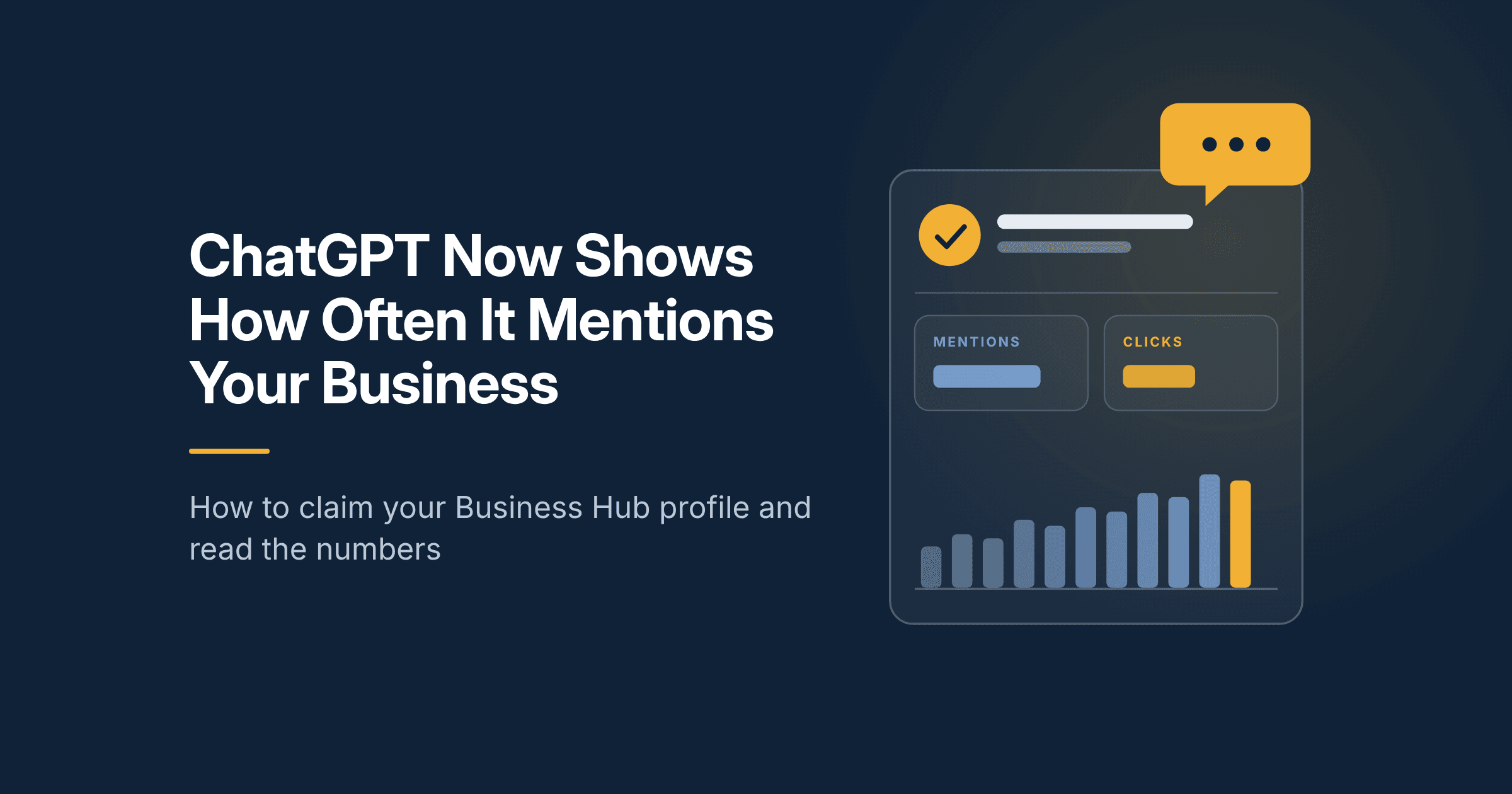
On November 10, 2026, OpenAI opened ChatGPT Business Hub in beta. It works a lot like a Google Business Profile with a small Search Console attached. You claim your business, fill in your details, and ChatGPT shows you how often it mentioned you and how many clicks it sent to your site.
This is the first time an AI assistant has handed businesses this kind of data directly. If you care about showing up in AI search, you should claim your profile this month. Here is what it shows, how to claim it, and how to read the numbers without fooling yourself. If you want the background on how AI search differs from regular search, start with my post on SEO vs GEO vs AEO.
What ChatGPT Business Hub is and what it shows
Business Hub is a profile for your business inside ChatGPT. You reach it at chatgpt.com/business-hub. Once your claim is approved, you can add your hours, a description, your category, and your products. In the US, OpenAI also lets you set up an agent that answers customer questions about your business.
The part most owners will care about is the insights. For the past 28 days, it shows:
- Mentions: how often ChatGPT referenced your business in its answers. For an online business, a mention counts only when ChatGPT references your website, not just your brand name.
- Website clicks: how many times people clicked from ChatGPT to your site.
- Discovery topics: the subjects people were asking about when ChatGPT brought you up.
That last one may be the most useful. It tells you which questions you are already winning, in the words your customers use.
Who can claim a profile today:
- Online businesses can claim a profile anywhere ChatGPT is available.
- Local stores and restaurants can only claim an existing US listing for now.
- Service area businesses have no clear path yet. Reports say support is coming, but OpenAI has not given a date.
How to claim your profile
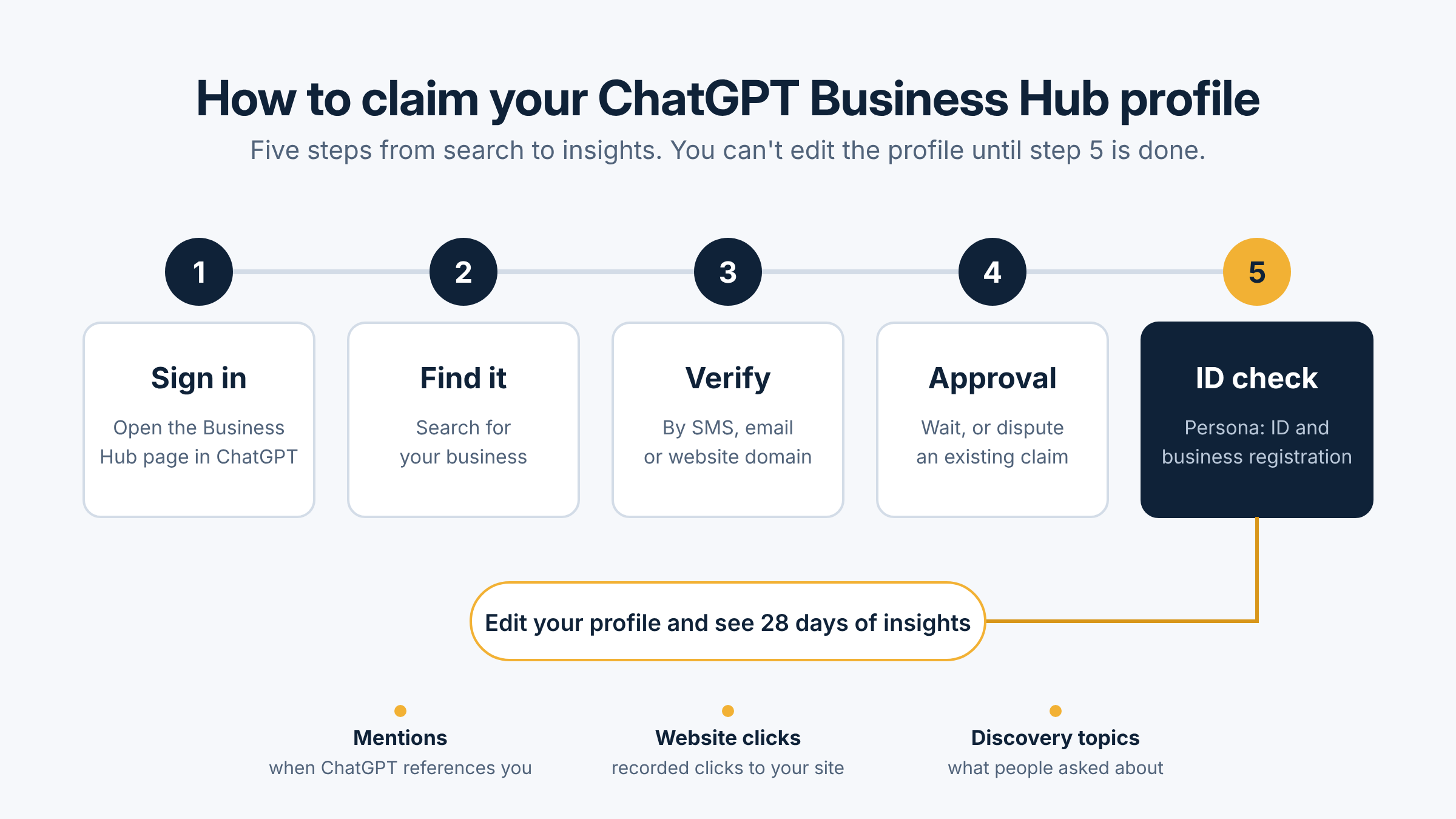
The steps are short, but approval is not instant. Have someone with authority over the business do it, since you will need to verify your identity.
- Sign in to ChatGPT and go to chatgpt.com/business-hub.
- Search for your business. If it doesn't come up, you may not be eligible yet during the beta.
- Verify that you have permission to claim it, by SMS, email, or your website domain. Domain verification is the cleanest option if you control your site.
- Wait for approval. If someone else already claimed your listing, you can dispute it.
- Complete identity verification through Persona. This may ask for a government ID and your business registration details. You need to finish this step before you can edit your profile.
Once you're in, fill out every field. Use the same business name, category, and description you use on your Google Business Profile and website. Consistent details across the web are one of the basics of good SEO, and they help AI tools understand who you are.
How to read the numbers without fooling yourself
New data is exciting, and it's easy to read too much into it. OpenAI is upfront about the limits, and I'd keep them in mind before you share these numbers with your leadership team.
- A blank metric doesn't mean zero. OpenAI says an empty field does not always mean there was no activity. Don't panic if a number is missing in the first weeks.
- Clicks are not visits. Business Hub counts recorded clicks, not confirmed sessions on your site. Your analytics will show a different number, and that's expected.
- Mentions are not recommendations. A mention means ChatGPT referenced you. It doesn't tell you whether the answer was positive or whether you were listed first or fifth.
- Claiming doesn't boost you. OpenAI says claiming a profile doesn't guarantee more visibility in ChatGPT answers. It gives you data and control over your details, not a ranking bump.
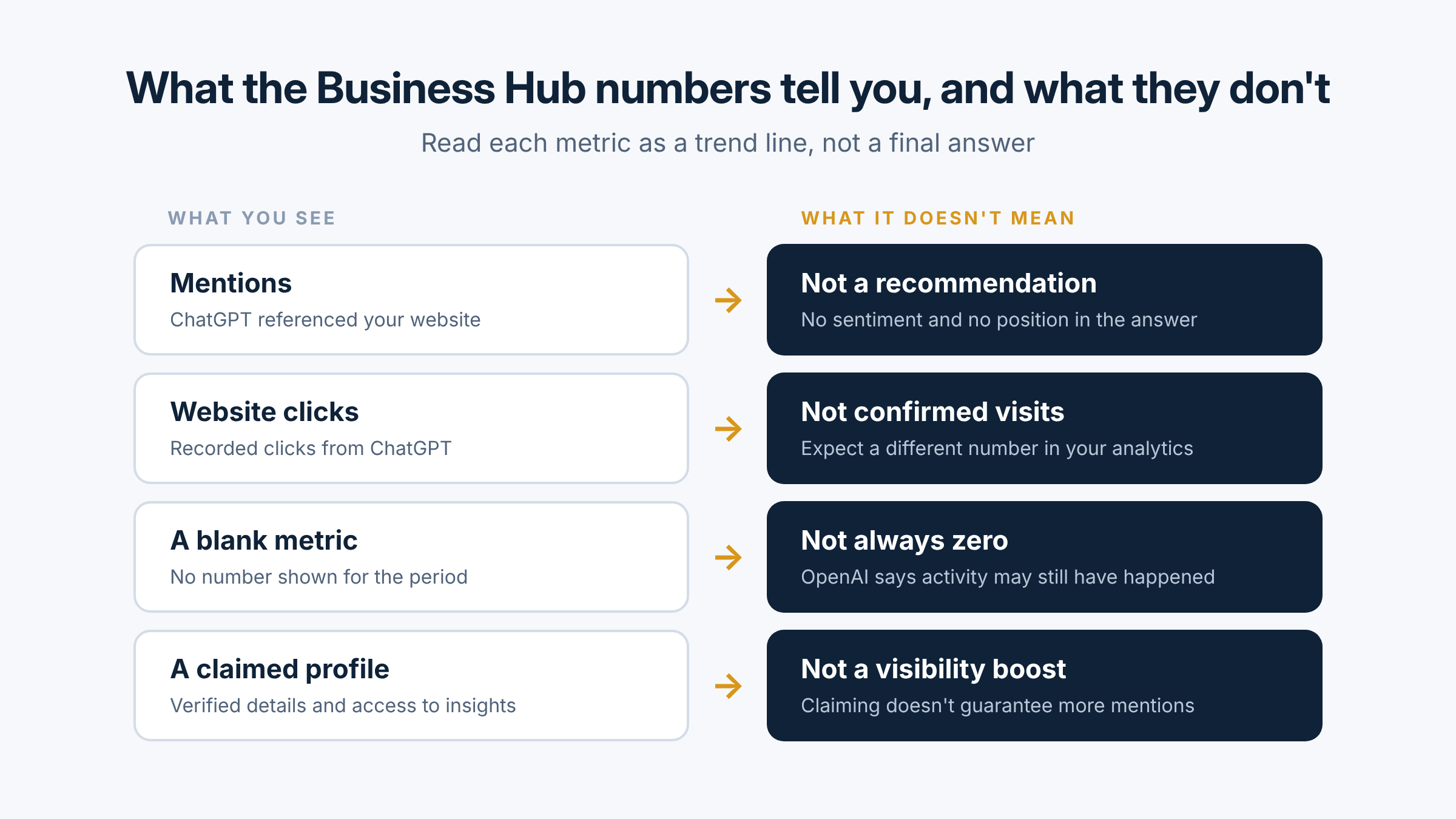
The best way to use these numbers is as a trend line. Check them once a month, compare them to the clicks you see from chatgpt.com in your analytics, and look for direction, not precision. If you track marketing by revenue, as I suggest in my post on measuring marketing by revenue, treat ChatGPT clicks as one input, not the goal.
What to do with the data
The numbers matter most when they change what you do. Here is how I'd put them to work:
- Read your discovery topics first. These are the questions where ChatGPT already connects you to the answer. Make sure the pages behind them are current and clear.
- Look for the topics that are missing. If you sell a service that never shows up in your topics, that's a content gap. Write the page or post that answers it plainly.
- Compare mentions to clicks. Lots of mentions with few clicks can mean ChatGPT names you but gives people little reason to visit. Check what your site offers that the answer doesn't.
- Watch the trend after changes. When you update a key page, note the date and check your numbers over the next couple of months.
Questions to ask before you start
- Who on our team owns the profile and checks it each month?
- Do our business details match across ChatGPT, Google, and our website?
- Which services do we want ChatGPT to connect us with, and do we have a clear page for each?
- How will we compare Business Hub numbers with what our analytics shows?
If you'd like a second set of eyes on your AI search visibility, or help setting up your profile and reporting, let's talk.
Frequently asked questions
What is ChatGPT Business Hub?
It's a business profile inside ChatGPT that OpenAI opened in beta on November 10, 2026. You can claim your business, edit your details, and see how often ChatGPT mentioned you and how many clicks it sent over the past 28 days.
How do I claim my business on ChatGPT?
Sign in to ChatGPT, go to chatgpt.com/business-hub, search for your business, and verify by SMS, email, or website domain. After approval, you complete identity verification through Persona before you can edit the profile.
Does claiming my profile help me show up more in ChatGPT?
No. OpenAI says claiming a profile doesn't guarantee more visibility. It gives you data and control over your business details.
Can local businesses use Business Hub?
Yes, with limits. Local stores and restaurants can only claim an existing US listing during the beta. Online businesses can claim anywhere ChatGPT is available.
Why don't Business Hub clicks match my analytics?
Business Hub counts recorded clicks, not confirmed visits. Some clicks never load a full session, and analytics tools often label AI traffic differently, so expect the numbers to differ.