The old choice was all or nothing
If you run Google Ads, your Search campaigns probably show ads in more places than Google Search. Search partners and the Display Network can run in the same campaign and share its budget.
Until now, you could leave those channels on and let Google decide how much they get, or turn them off completely.
It's common to find one of two situations. Either nobody has looked at that setting in years, or someone turned everything off after a bad month and never tested it again. Neither is a real decision.
On October 14, Google announced two new controls that give you a middle option. One of them comes with a deadline, so it's worth knowing what they do.
What Google announced
Google added two optional settings: channel prioritization and budget allocation. They are rolling out now for Search, Shopping, Performance Max, and Demand Gen, and availability can vary by account.
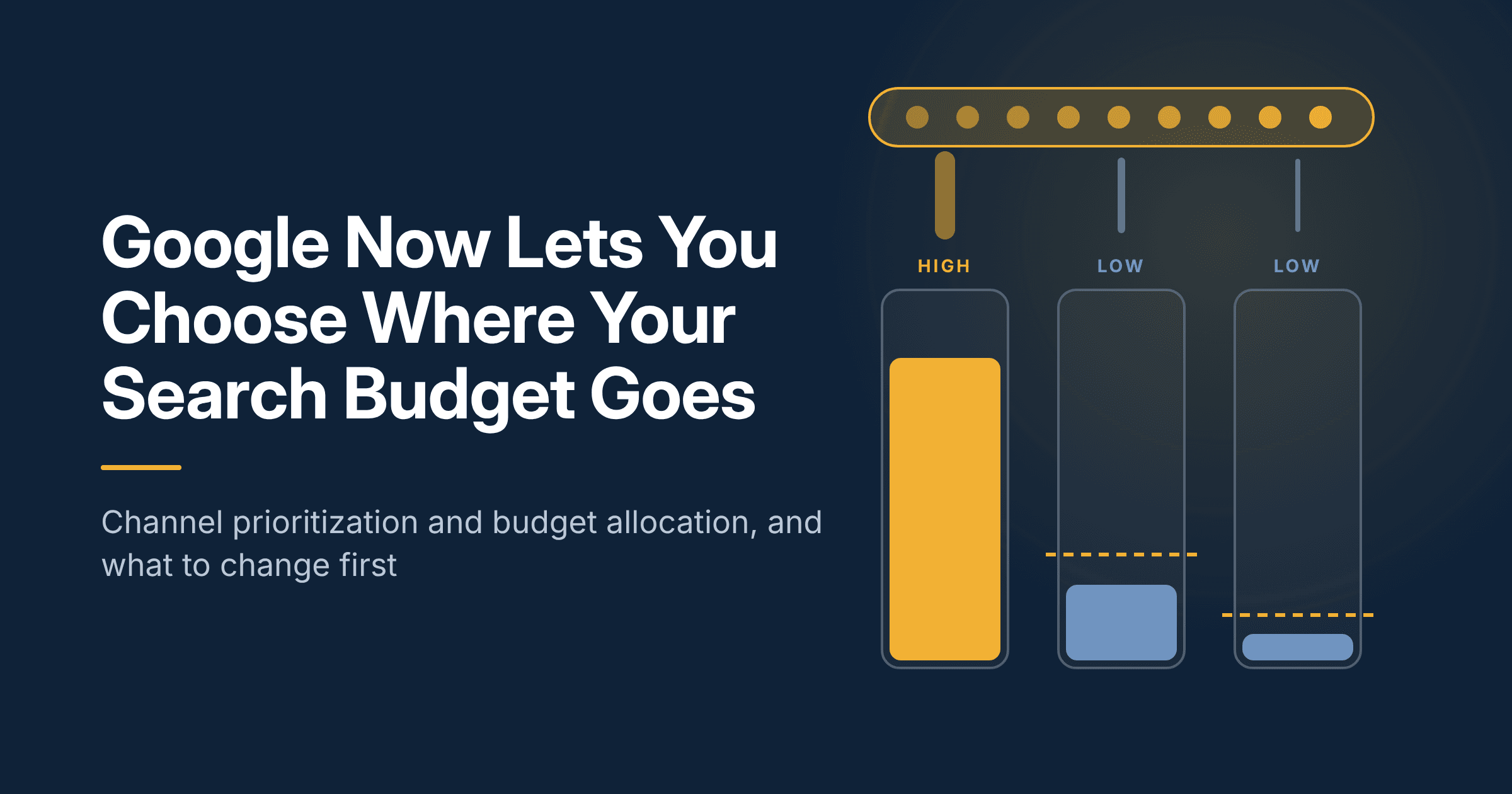
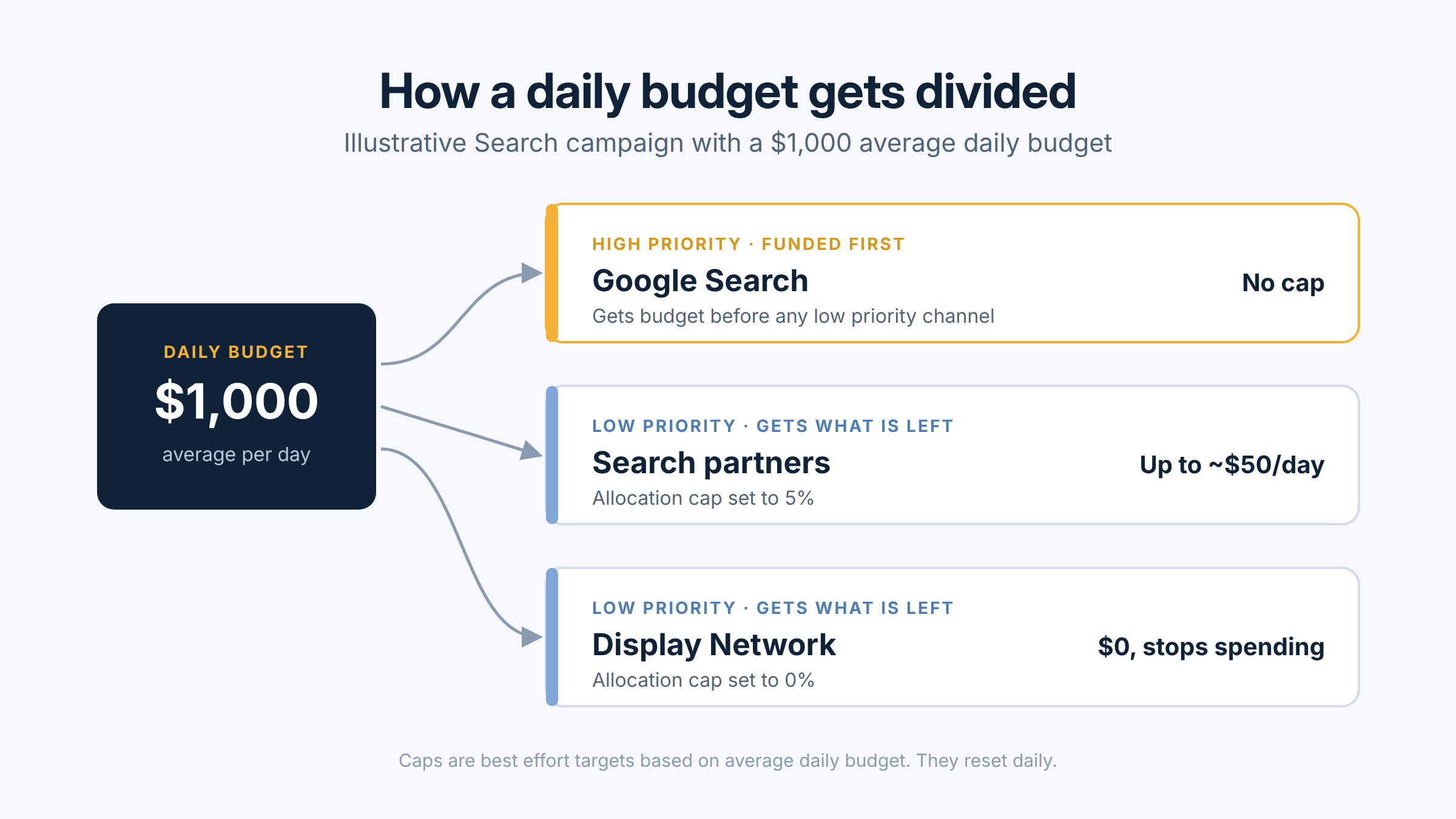
Channel prioritization lets you mark each channel as high or low priority. High priority channels get funded first. Low priority channels get what is left.
Budget allocation lets you cap how much a low priority channel can spend, as a percentage of the campaign's average daily budget. Set it to 5% on a $1,000 daily budget and Google aims to keep that channel near $50 a day. Set it to 0% and the channel stops spending.
The channels you can rank depend on the campaign type:
- Search: Google Search, Search partners, Display Network
- Shopping: Google Search, Search partners
- Performance Max: Google channels, Search partners, Display Network
- Demand Gen: Google channels, Display Network (no budget allocation)
Everything defaults to high priority, so nothing changes in your account until you or your team changes it.
How the two controls work together
The part most people will miss: priority only changes spending when your campaign is limited by budget. How much it matters depends on your bid strategy, according to Google's help page.
- Target CPA, Target ROAS, or Target CPC, not limited by budget: priority doesn't change how spend is split. Only the allocation cap applies.
- Target CPA, Target ROAS, or Target CPC, limited by budget: high priority channels spend first within your target. Leftover budget goes to low priority channels only where they can hit the target.
- Maximize Conversions, Maximize Conversion Value, Maximize Clicks, Manual CPC, or Target Impression Share: high priority channels spend first, and anything left goes to low priority channels.
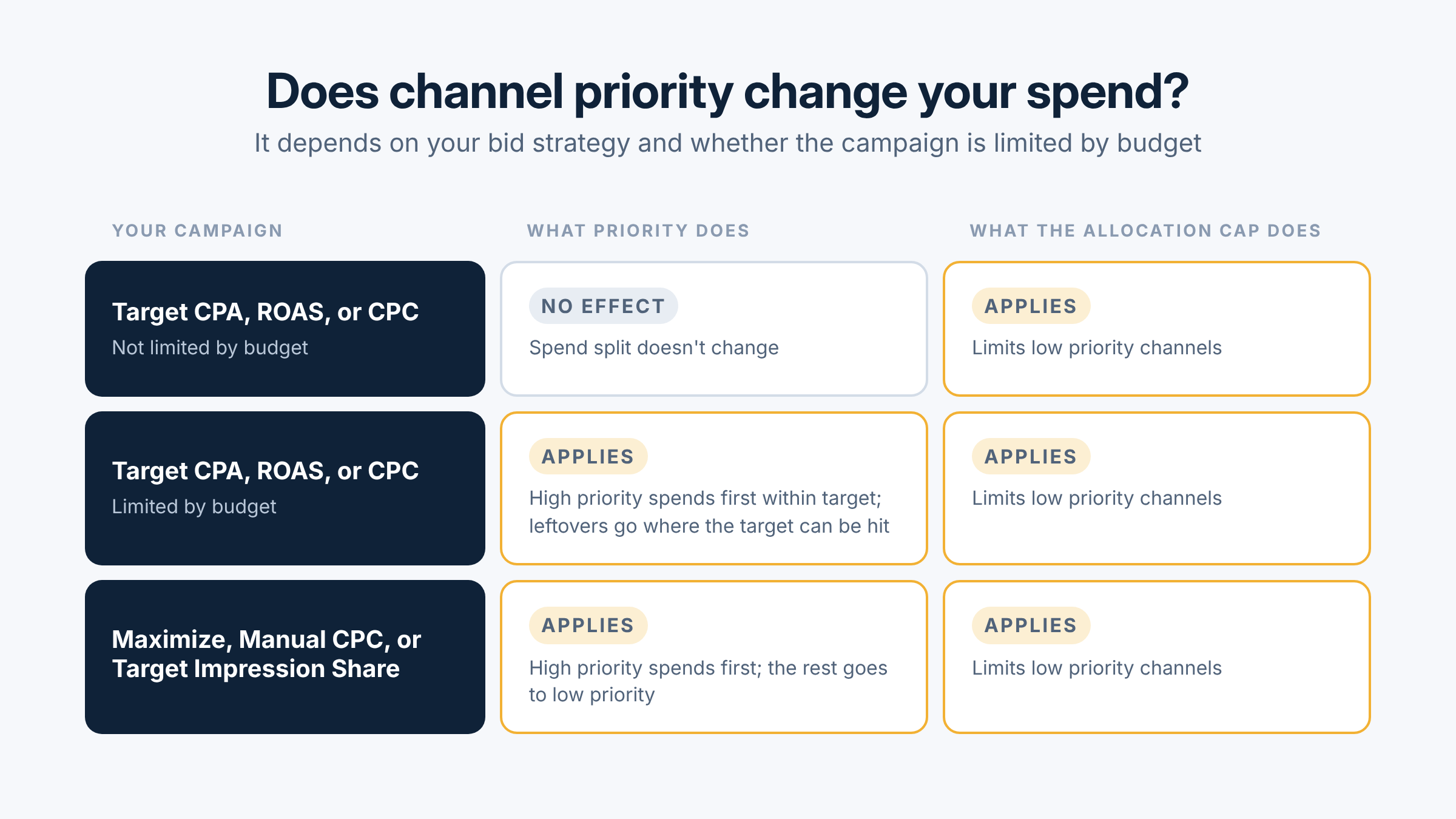
So if your campaigns rarely hit their daily budget, the cap does the work. If they hit budget every day, priority decides who gets paid first.
Also, the cap is a best effort target that resets daily, so a channel can go over on some days.
What I'd change first in your account
- Check which Search campaigns have the Display Network on. In February 2027, Google retires the current spend setup for Search campaigns with Display turned on, and spend may shift between channels. If you want things to stay as they are, Google's suggestion is to set Display to low priority with a 50% allocation. If you set priorities before February, the new settings apply right away.
- Look at channel performance before you touch anything. Segment campaigns by network and compare cost per lead or return on ad spend, not clicks. If your leads live in a CRM, a clean HubSpot setup lets you see which channels brought in real customers. I wrote about that in measuring marketing by revenue.
- Move weak channels to low priority with a small cap. You no longer have to switch a weak channel off. Give it a small percentage and watch for a few weeks.
- Bring back channels you turned off. This is a low risk way to test them again with clear limits.
- Set it in each account. These settings can't be applied from a manager account, and Editor and API support is still coming, so multi account teams will work by hand for now.
If your Search campaigns are also moving to AI Max, see Google is moving your Search campaigns to AI Max. Change one thing at a time so you can read the results.
Questions to ask your team or agency
If someone else manages your Google Ads, ask them:
- Which of our Search campaigns have Search partners or Display turned on today?
- How does each of those channels perform on leads or revenue, not just clicks?
- What is our plan for the February 2027 Display change?
- Are any of our campaigns limited by budget? If not, are we using allocation caps?
- When will we review the results, and what would make us change course?
Good answers should come with numbers from your own account. If they don't, it may be time for a closer look at how your paid media is managed.
If you'd like a second set of eyes on your channel settings, reach out. I'm happy to walk through it with you.
Frequently asked questions
What is channel prioritization in Google Ads?
It's a setting that lets you mark channels like Google Search, Search partners, and the Display Network as high or low priority. High priority channels are funded first, and low priority channels get the remaining budget.
Do I have to change anything right now?
No. Every channel defaults to high priority, so nothing changes unless you change it. The one exception to plan for is Search campaigns with the Display Network on, which change in February 2027.
Can I turn off Search partners with these controls?
Yes. Set Search partners to low priority with a 0% allocation and Google stops spending there. You can also keep them on with a small cap instead of switching them off completely.
Does this work in Performance Max?
Yes, but with less detail. In Performance Max, Search, YouTube, Maps, Gmail, and Discover are grouped as "Google channels," so you can only prioritize that group against Search partners and the Display Network.